Skip to content
Preview
Free ESL Worksheet Grade 7 (Year 8)
No ratings yet

Log In, Back Up, Update: Everyday Technology Vocabulary

About This Resource

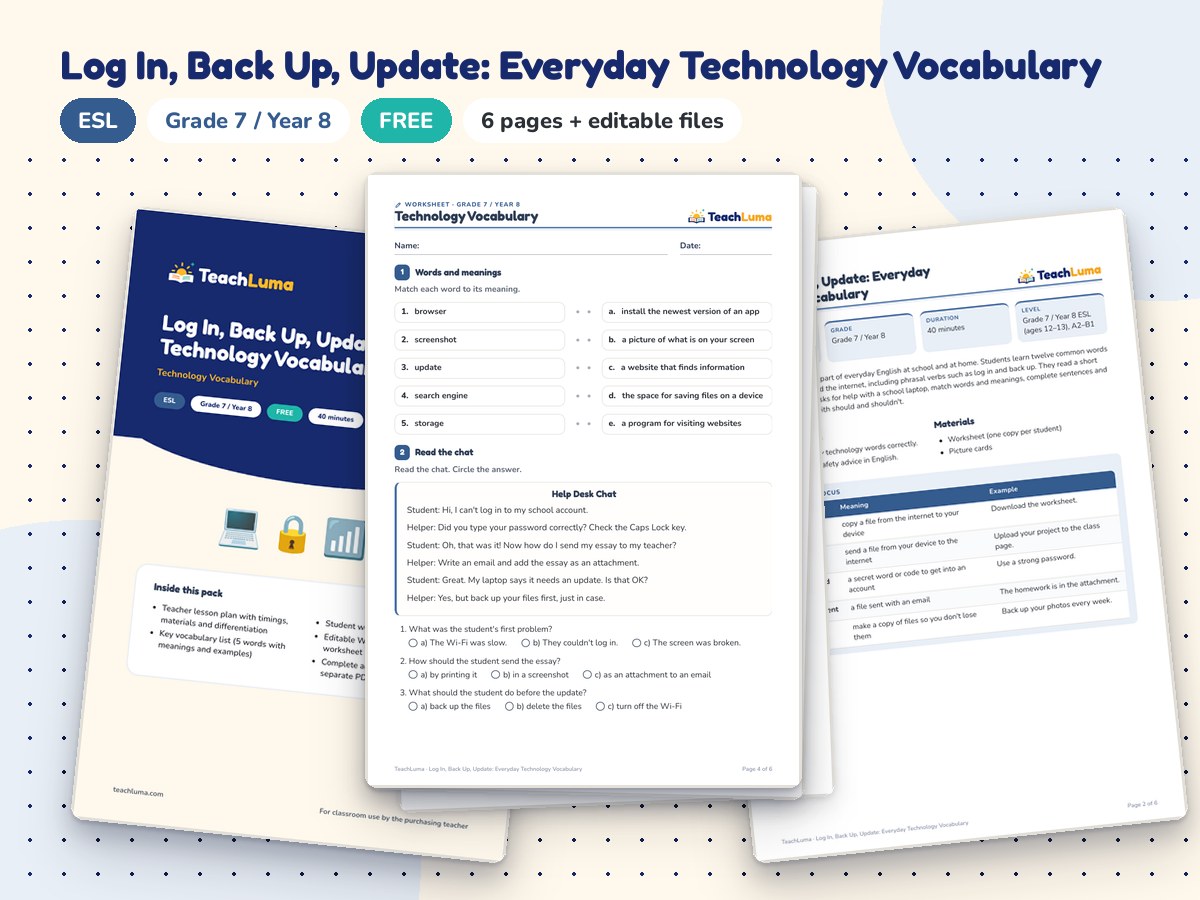
A free Grade 7 ESL vocabulary worksheet on everyday technology words: download, upload, browser, password, update, attachment, screenshot, log in, back up, search engine, Wi-Fi and storage. Students match words to definitions, use them in a short help-desk chat, choose the correct verb, and write tips for staying safe online. Includes a timed lesson plan, an editable Word version and an answer key.

Overview

Technology vocabulary is part of everyday English at school and at home. Students learn twelve common words for computers, phones and the internet, including phrasal verbs such as log in and back up. They read a short chat in which a student asks for help with a school laptop, match words and meanings, complete sentences and write online safety tips with should and shouldn't.

Resource Details

Subject
ESL
Topic
Technology Vocabulary
Category
Vocabulary
File Type
PDF
File Size
214.3 KB
Published
26 Nov 2026
Downloads
0
Download Free

Free with a TeachLuma account — it takes a minute.

Share:

Looking for something different? Request a Resource.

Grade 7 ESL (ages 12–13), A2–B1 40 minutes Vocabulary reading writing advice

Student Task

  • Ask: "What do you do first when you use a school computer?" Write the verbs on the board.
  • Teach the words and do activities 1 and 2 together.
  • Students complete activities 3 to 5. Answers are in the answer key.

Classroom Use

  • Tech charades: mime log in, upload or take a screenshot.
  • Help desk role-play: one student has a tech problem, the other gives instructions.
  • Password challenge: discuss what makes a password strong (without sharing real ones).

Differentiation

Support: give picture cards for each word. Challenge: explain the difference between download and upload, and log in and sign up.

Answer Key & Assessment

Activities 1 to 4 check vocabulary (answer key included). Activity 5 shows safety advice.

Learning Objectives

  • Use twelve everyday technology words correctly.
  • Give simple online safety advice in English.

Teacher Tips

Use generic words such as browser and search engine rather than brand names. Remind students never to share real passwords in class activities.

What's Included

  • 6-page printable PDF lesson pack: teacher lesson plan with timings, materials and differentiation
  • Key vocabulary list (5 words with meanings and examples)
  • Student worksheet (5 activities)
  • Editable Word version of the worksheet
  • Complete answer key (also as a separate PDF)

Additional Files


Teacher Reviews

No ratings yet

Be the first teacher to review this resource.

Sign in to review this resource.

Related Resources

Advertisement